

 Image 1 of 1
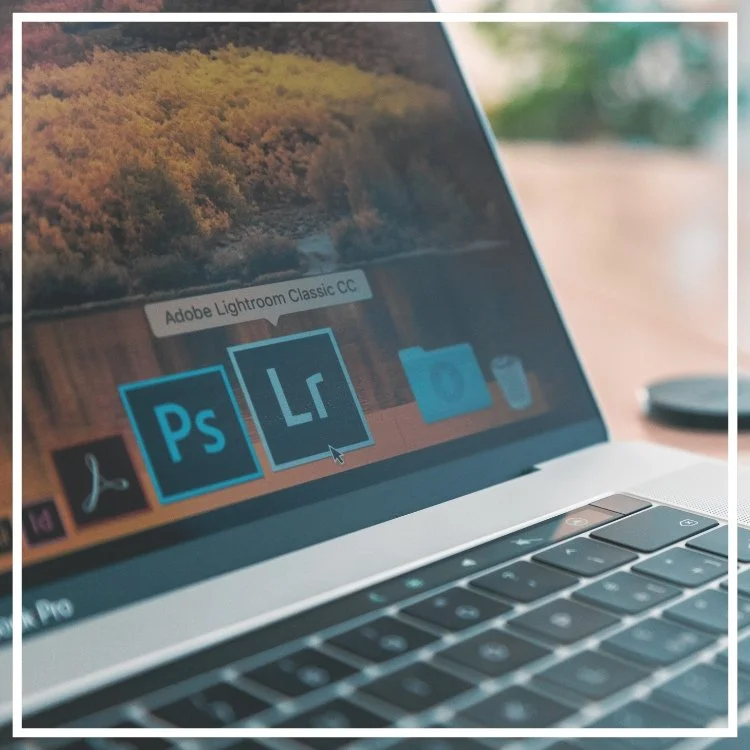
Lightroom for Beginners is the perfect introductory course for both the hobbyist and professional photographer! Learn how to organize, process, enhance, and share photos using Adobe Lightroom Classic.
This course is designed to give photographers of all genres and skills the fundamental basics to using this powerful and professional level program.
During the Intro to Lightroom Classic course – students learn how to manage and edit images using hands-on training. The instructor will provide images and notes so the class can work together.
Overview of the Lightroom Classic interface
Importing images from computer or camera to Lightroom Catalog
Working with RAW and DNG files
Organizing images within the Library Module
Making lens, color, exposure, and white balance corrections
Enhancing images using the Develop Module
Exporting images for sharing
Photoshop integration
Personal Computer (Mac or PC is acceptable) with minimum 8GB of RAM
Adobe Creative Cloud installed on your computer
Adobe Lightroom Classic installed on your computer
Card reader
USB port or USB adaptor
Beginner
Join Sarah for a second day of Lightroom building on the techniques learned on day 1. In addition to mastering cataloging skills, this course focuses on editing workflow for a range of types of photography.
During the Application of Lightroom course, students will learn how to master their cataloging, organizing, and editing skills using Adobe Lightroom Classic. The day will focus on editing workflows for both portrait retouching and landscape photography.
Review of importing photos into catalog
Adding signature copyright and watermarks to photos
Sorting images using keywords and metadata in the Library Module
Backing up Lightroom Catalog
Advanced corrections and enhancements in the Develop Module
Editing for portrait photography including skin retouching and object removal
Editing for landscapes including sky replacements and enhancing the raw image
Creating Presets
Exporting images for sharing
Photoshop integration
Personal Computer (Mac or PC is acceptable) with minimum 8GB of RAM
Adobe Creative Cloud installed on your computer
Adobe Lightroom Classic installed on your computer
Camera
Card reader
Beginner – Intermediate
Completion of Lightroom Day 1 course
Instructor: Sarah Rogers, Adobe Certified Expert
Lightroom for Beginners is the perfect introductory course for both the hobbyist and professional photographer! Learn how to organize, process, enhance, and share photos using Adobe Lightroom Classic.
This course is designed to give photographers of all genres and skills the fundamental basics to using this powerful and professional level program.
During the Intro to Lightroom Classic course – students learn how to manage and edit images using hands-on training. The instructor will provide images and notes so the class can work together.
Overview of the Lightroom Classic interface
Importing images from computer or camera to Lightroom Catalog
Working with RAW and DNG files
Organizing images within the Library Module
Making lens, color, exposure, and white balance corrections
Enhancing images using the Develop Module
Exporting images for sharing
Photoshop integration
Personal Computer (Mac or PC is acceptable) with minimum 8GB of RAM
Adobe Creative Cloud installed on your computer
Adobe Lightroom Classic installed on your computer
Card reader
USB port or USB adaptor
Beginner
Join Sarah for a second day of Lightroom building on the techniques learned on day 1. In addition to mastering cataloging skills, this course focuses on editing workflow for a range of types of photography.
During the Application of Lightroom course, students will learn how to master their cataloging, organizing, and editing skills using Adobe Lightroom Classic. The day will focus on editing workflows for both portrait retouching and landscape photography.
Review of importing photos into catalog
Adding signature copyright and watermarks to photos
Sorting images using keywords and metadata in the Library Module
Backing up Lightroom Catalog
Advanced corrections and enhancements in the Develop Module
Editing for portrait photography including skin retouching and object removal
Editing for landscapes including sky replacements and enhancing the raw image
Creating Presets
Exporting images for sharing
Photoshop integration
Personal Computer (Mac or PC is acceptable) with minimum 8GB of RAM
Adobe Creative Cloud installed on your computer
Adobe Lightroom Classic installed on your computer
Camera
Card reader
Beginner – Intermediate
Completion of Lightroom Day 1 course
Instructor: Sarah Rogers, Adobe Certified Expert