Adobe Photo Editing Workshops:
Lightroom and Photoshop Classes in Orange County
Take control of your images after the shutter clicks. Learn Adobe Lightroom Classic and Photoshop through hands-on instruction designed specifically for photographers.
ADOBE COURSES
DAY 1: 9:00AM – 4:00PM
Covering the Basics
Lightroom for Beginners is the perfect introductory course for both the hobbyist and professional photographer! Learn how to organize, process, enhance, and share photos using Adobe Lightroom Classic.
This course is designed to give photographers of all genres and skills the fundamental basics to using this powerful and professional level program.
Course Description
During the Intro to Lightroom Classic course – students learn how to manage and edit images using hands-on training. The instructor will provide images and notes so the class can work together.
Topics Covered
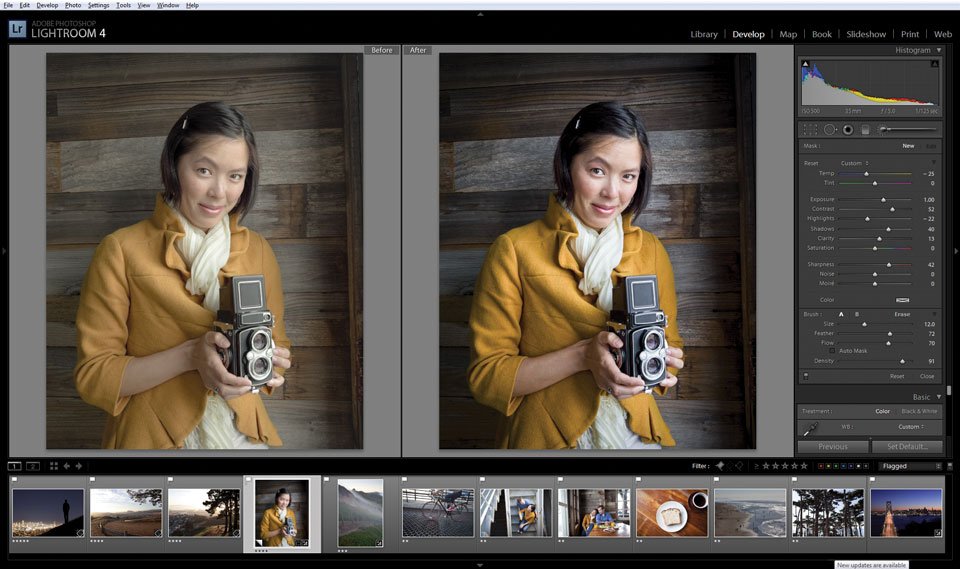
Overview of the Lightroom Classic interface
Importing images from computer or camera to Lightroom Catalog
Working with RAW and DNG files
Organizing images within the Library Module
Making lens, color, exposure, and white balance corrections
Enhancing images using the Develop Module
Exporting images for sharing
Photoshop integration
Materials Needed
Personal Computer (Mac or PC is acceptable) with minimum 8GB of RAM
Adobe Creative Cloud installed on your computer
Adobe Lightroom Classic installed on your computer
Card reader
USB port or USB adaptor
Qualifications
Beginner
DAY 2: 9:00AM – 4:00PM
Application - Portraits and Landscapes
Join Sarah for a second day of Lightroom building on the techniques learned on day 1. In addition to mastering cataloging skills, this course focuses on editing workflow for a range of types of photography.
Course Description
During the Application of Lightroom course, students will learn how to master their cataloging, organizing, and editing skills using Adobe Lightroom Classic. The day will focus on editing workflows for both portrait retouching and landscape photography.
Topics Covered
Review of importing photos into catalog
Adding signature copyright and watermarks to photos
Sorting images using keywords and metadata in the Library Module
Backing up Lightroom Catalog
Advanced corrections and enhancements in the Develop Module
Editing for portrait photography including skin retouching and object removal
Editing for landscapes including sky replacements and enhancing the raw image
Creating Presets
Exporting images for sharing
Photoshop integration
Materials Needed
Personal Computer (Mac or PC is acceptable) with minimum 8GB of RAM
Adobe Creative Cloud installed on your computer
Adobe Lightroom Classic installed on your computer
Camera
Card reader
Qualifications
Beginner – Intermediate
Completion of Lightroom Day 1 course
Instructor: Sarah Rogers, Adobe Certified Expert
DAY 1: 9:00AM – 4:00PM
Photoshop for Photographers is for beginners who want to learn creative tools and workflow in Adobe Photoshop to assist in creating stunning images. Taught by a certified instructor, this class is a fully hands-on course geared for those new to using Photoshop.
This course is designed to give photographers of all levels the fundamental basics to using Photoshop to assist in expanding their creativity.
Course Description
Beginning Photoshop for Photographers is the perfect course for those new to Photoshop and looking for step-by-step instruction for all the tools needed to enhance your images! By the end of this course, you will be able to seamlessly move from Lightroom to Photoshop, retouch imperfections, correct color, and add enhancements to all your photos. The instructor will provide images and notes, so the class can work together hands-on.
Topics Covered
Learning the Adobe Workspace
Integrating Lightroom and Photoshop
Making selections and using selection tools
Understanding layers and masks
Retouching tools
Introduction to adjustment layers
Creating post-production workflow
DAY 2: 9:00AM – 4:00PM
Topics Covered
Integrating Lightroom and Photoshop
Reviewing process of making selections
Utilizing and organizing layers
Creating and fine-tuning masks
Using blend modes
Retouching tools
Creating composites
Image stacking (HDR, focus stacking, astrophotography stacking)
Creating seamless panoramas
Materials Needed
Personal Computer (Mac or PC is acceptable) with minimum 8GB of RAM
Adobe Creative Cloud installed on your computer
Adobe Photoshop CC installed on your computer
Adobe Lightroom Classic installed on your computer (not required but considered helpful)
Mouse or Wacom Tablet (laptop track pads are not suitable)
USB port or USB adaptor
Qualifications
Complete Intro to Lightroom and Intro to Photoshop
Instructor – Sarah Rogers, Adobe Certified Expert
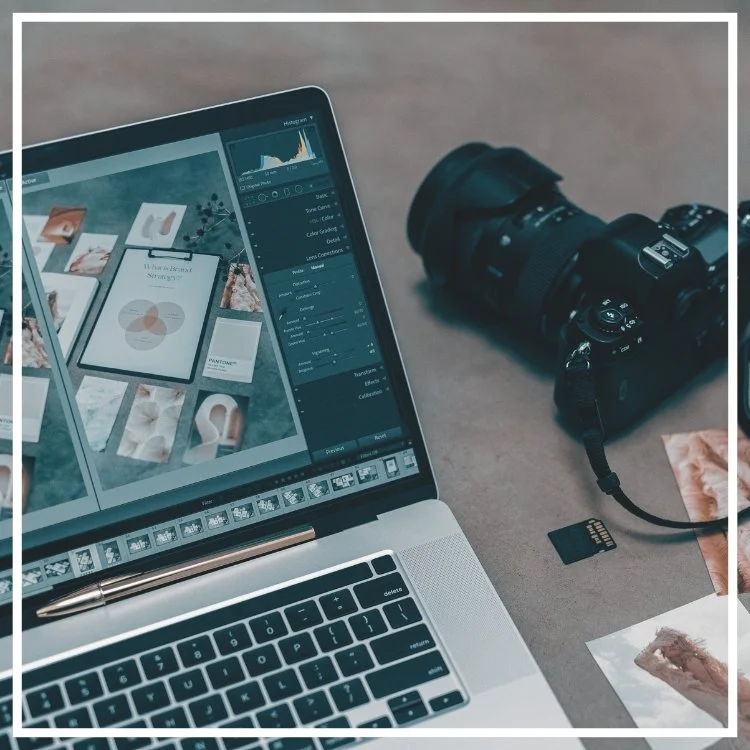
Are you interested in photo editing? This course gives new photographers an introduction to Adobe Lightroom and Photoshop to organize, correct, and enhance incredible final images!
Taught by an Adobe certified instructor, this course is a lecture-based demonstration course for anyone looking to learn about Adobe products or how to get started with post-processing their images.
COURSE DESCRIPTION
Have you been curious about Adobe Creative Cloud? Wondering what the difference is between Adobe Photoshop and Lightroom? This course teaches Post Processing and breaks it down with an introduction to why we process our images and use Adobe software to enhance and organize our photos. This class is a lecture-based class showcasing to students the fantastic and powerful abilities to use Adobe Photoshop & Lightroom in conjunction to correct and enhance images.
These two programs are the industry’s standard for managing, correcting, and manipulating digital images for newbies and professionals. Learn to use these products together to increase your efficiency, make color and exposure corrections, and create beautifully enhanced images ready for printing or sharing.
TOPICS COVERED
Overview of using the Adobe Creative Cloud
Getting photos from the camera to the computer
Why “post-process”?
The difference between Lightroom and Photoshop
Using Photoshop and Lightroom together to maximize results
Taking images from the camera to amazing final products
Digital asset management and organization
MATERIALS NEEDED
Notebook and pen for note-taking
QUALIFICATIONS
Ages 16+
INSTRUCTOR
Sarah Rogers, Adobe Certified Expert